The Seacoast BankNote

How to Open a Bank Account Online and What You Need

Reviewed by: Jo-El Gonzalez

Many banks let you open a checking or savings account online. To apply, you’ll typically need a government-issued ID, your Social Security number, your contact information and proof of address, and some accounts ask for an opening deposit. Banking online is now the most common way people bank. In a 2025 American Bankers Association survey, 54% of bank customers named a mobile app as their top way to bank, and 22% named online banking on a computer.

Read on to learn what you need to open a bank account online, the steps to apply and the benefits of banking online.
What Are the Benefits of Opening a Bank Account Online?

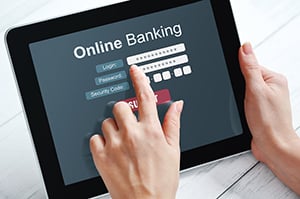
online banking login on tabletConvenience. Ease. Financial monitoring. These are a few beneficial reasons that make online banking a great option. Here’s how each of these benefits can help you manage your everyday finances.

  • Convenient Banking: Online banking eliminates the need to visit your financial institution in person, which can be a hassle depending on your schedule, the bank’s hours or your access to transportation. Plus, it puts your financial institution within reach 24/7. With online and mobile banking, you can manage your finances wherever and whenever you need to.
  • Fast, Easy Transactions: Whether you are depositing checks using mobile banking features, scheduling automatic bill pay, transferring funds between your personal accounts or sending and receiving money from trusted individuals, you can handle these tasks and more from your phone or computer. EStatements can also help you cut down on paper.
  • Monitor Finances in Real Time: If you are on a budget or are looking for ways to tighten up your spending habits, online banking gives you quick access to your financial statements. This allows you to monitor where your money is going closely. Seacoast’s online budgeting tools allow you to set budgets for each spending category and track progress toward those monthly categories. Additionally, you can monitor your accounts for suspicious activity and act early if something looks off.

Get the latest updates, offers and helpful financial tips.

How to Open an Online Savings or Checking Account

smiling couple enrolling in online bankingTo begin this process, you will need a reliable and secure internet connection to protect your privacy. You will then need a trusted device like a laptop, smartphone or tablet to access the internet.

Enrolling in online banking involves sharing sensitive personal information, so protecting your privacy is an important part of the process. A secure internet connection and a trusted device can help reduce the risk of unauthorized access to your data. Using a VPN connection helps to create a secure environment when accessing sensitive information.

What You Need to Open a Bank Account Online

Requirements vary by bank, but many ask for the same basic information when you apply online:

  • Identification: Have an up-to-date government-issued ID such as a driver’s license or passport handy. You will also need your Social Security number. These will be the keys to securely verifying your identity with your bank.
  • Contact Information: You must provide a phone number and functional email address as your primary channels for communication with your bank. Ensure that whichever email address you provide is one you can check frequently and view any special offers your bank may have for you as a member.
  • Proof of Address: A bank must confirm where to send you direct mail when needed or determine eligibility for the account if you are required to live within the state. Utility bills, credit card bills, lease agreements or home/auto insurance policies are good options for proof of address.
  • Income and Employment Details: Your income may determine your eligibility for specific accounts and services, so be prepared to provide those figures. Additionally, some banks may ask you for details about your employment to better understand your current financial situation.
  • An Initial Deposit: While some banks may not require an initial deposit to set up an online account, many do. Typically, a bank might require an initial deposit of $25-100 to get your new account up and running. These deposit amounts and any fees associated with certain types of accounts for minimum balances should be considered when choosing which account type is right for you.

Steps to Open a Bank Account Online

Once you have your information ready, opening an account online takes four steps.

1. Choose a Bank

First, you will need to choose a bank that suits your financial needs. You should consider factors such as fees and account types that fit your financial goals, whether personal or business-related. Review customer feedback to assess the bank’s service quality and overall customer satisfaction.

Another good tip is to consider a local community bank. These banks are usually more involved with the people and businesses in your area, and you can build stronger relationships with them. Having a physical branch location nearby will also be beneficial if you ever need one.

2. Begin the Bank Account Application Process

Next, visit the bank’s website and begin the online application process. You will be asked to enter the personal information outlined in the section above and verify your identity.

Some banks may require you to upload documents or copies of your identification, so having digital copies of those available on your device could be helpful. Please ensure all your documents are clear, legible and current.

Once you have reviewed your information and double-checked that all details are correct, you will be asked to confirm and submit your application.

3. Make Minimum Opening Deposits

After you have been approved, you may need to make the minimum opening deposit, as discussed earlier.

Choose a funding source from your bank’s available options or follow their instructions to transfer funds or deposit a check to meet minimum deposit requirements.

4. Set Up Your Banking Profile

Finally, you will need to set up your online banking profile. This is where you will be asked to create a unique username and password for your login credentials, and remember, always choose a strong password and store it securely.

You can begin to familiarize yourself with all your online bank account has to offer. You can also explore ways to customize your experience and make your bank account work for your finances.

Open Your Bank Account Online Today

Opening a bank account online is a simple process that can save you a trip to the branch. Now that you are prepared with what you need to open an online bank account and its benefits, you are ready to begin your journey toward seamless financial management.

If you’re ready to open a checking or savings account, Seacoast Bank can help you get started. You can explore personal checking accounts and apply online, learn about business checking accounts and connect with a banker, or visit your local branch for personalized help.


What to Know About Opening a Bank Account Online


loading...

Connect with a Local Banker.

Are you interested in contacting a local, Florida banker to discuss your individual financial needs? We’d love to speak with you. Schedule a consultation today.

Contact Form

Our Four Promises.

At Seacoast Bank, everything we do is based upon core beliefs summarized in the Four Promises we make to you. When you entrust your banking to us, we promise to:
right team to serve you
Get you comfortable with the right products and the right team to serve you
Make your day-to-day banking simple
Resolve out-of-the-ordinary items responsively
Invest in you and your community